


Close Menu
The West News
  • Home
  • News
  • Entertainment
  • Money
  • Local
    • Los Angeles
  • World News
Facebook X (Twitter) Instagram
The West News
  • Home
  • News
  • Entertainment
  • Money
  • Local
    • Los Angeles
  • World News
Facebook X (Twitter) Instagram
The West News
Home » Roblox: Get Your Display Name Now!
News

Roblox: Get Your Display Name Now!

Aaron KohnBy Aaron KohnJanuary 31, 20232 Mins Read
Facebook Twitter Pinterest LinkedIn Tumblr Email
Roblox: Get Your Display Name Now!
Share
Facebook Twitter LinkedIn Pinterest Email
Roblox: Get Your Display Name Now!

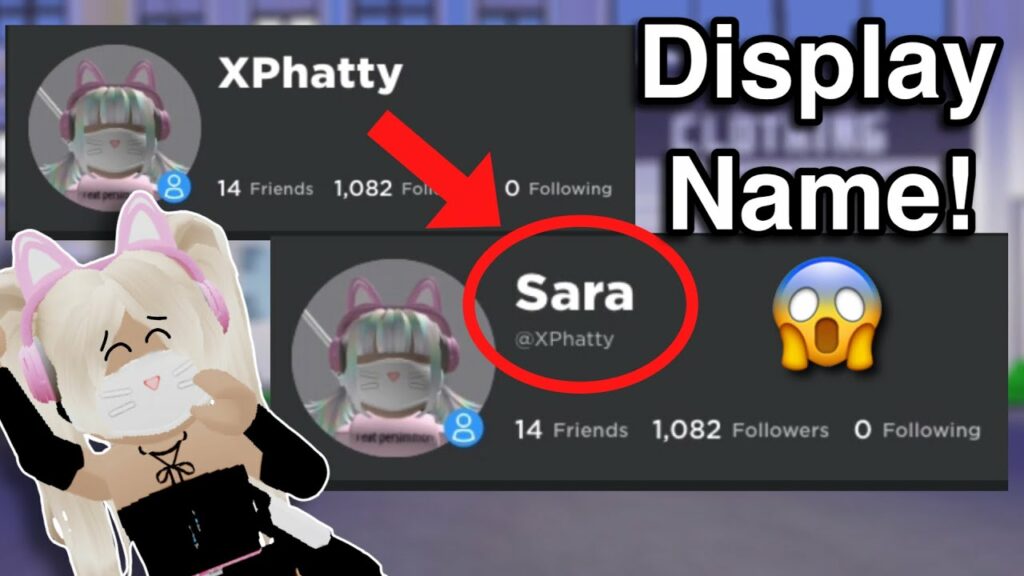
A Display Name in Roblox allows you to control what name other players can see of our avatar and where it appears in the game. It’s likely that you selected your permanent Roblox username too quickly or that your likes have changed and it no longer adequately reflects your personality. Don’t worry, your Display Name lets you edit, how you’re seen by everybody else in the online world while keeping your original account. With that in mind, here’s how to get as well as modify your Roblox Display Name.

Display Name vs Username in Roblox
Roblox: Get Your Display Name Now!

Your Display Name in Roblox is different from your Username, because the Username is unique to every account and starts with a @ symbol to indicate a specific user. You can also alter your Display Name as often as you like, allowing you to be more creative and perhaps express yourself. Your Display Name will appear in places like your profile and chat, search and persons listings, and right above your avatar’s head during an experience.

Create or Change a Roblox Display Name

Roblox: Get Your Display Name Now!
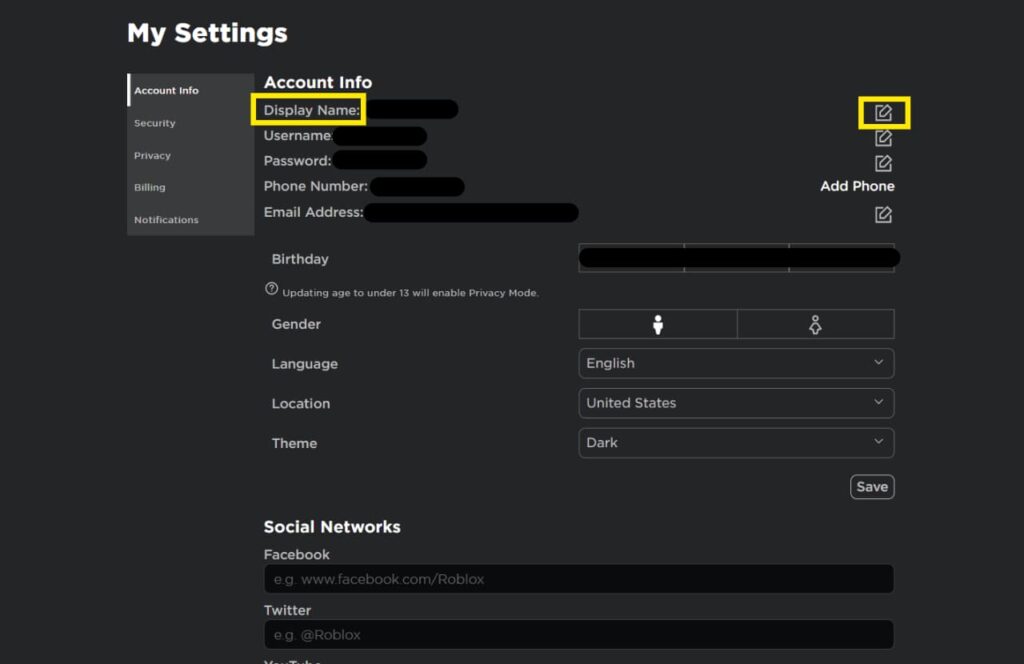
  • To get or update your Roblox Display Name, go over to the Account Info page within Settings and click the edit icon next to your Username.
  • Enter your desired Display Name and save it – you can only modify it once per seven days.
  • You need to keep in mind the following constraints while choosing a new Display Name:
  • The display names should only be 3 to 20 characters long.
  • The display names should only have numbers, letters as well as underscores
  • For high-profile gamers, the display name should not match the Usernames
  • The display names need to pass the text filter of the Community Rules.
  • Ultimately, as long as your Display Name isn’t disrespectful and you’re not impersonating any famous players, you should be fine. Enjoy your innovative Display Name and remember that you may alter it every week if you don’t like it.

Hope you liked our guide so please, do leave a comment below and let us know about your new display name.

gaming Guide
Share. Facebook Twitter Pinterest LinkedIn Tumblr Email
Aaron
Aaron Kohn
  • Website

Aaron writes guides and news related to the games at TheWestNews.com. Apart from his passion for writing and playing games he's exploring new places around the globe.

Related Posts

Trump Slams Grammys and Threatens Lawsuit Over Trevor Noah Joke

February 4, 2026

GTA 6 Marketing Begins This Summer as Take-Two Reaffirms November Release

February 4, 2026

Fallout Season 2 Finale Review: The House Mostly Wins

February 4, 2026
Advertisement

I Didn’t Change My Spending I Just Started Getting Free Flights and Hotels

December 15, 2025

I Thought My Points Were Worth $600 — Then I Booked a $6,200 Flight

December 15, 2025

The 5-Step Blueprint to Booking Your First $10,000 Flight for $50

December 15, 2025

Current Marriott Bonvoy Card Offers: What You Can Earn Right Now

November 23, 2025

Trump Slams Grammys and Threatens Lawsuit Over Trevor Noah Joke

February 4, 2026

Fallout Season 2 Finale Review: The House Mostly Wins

February 4, 2026

Steal Review: Prime Video’s Twisty Heist Thriller Powered by Sophie Turner

February 4, 2026

Disney Plus Schedule November 24-30, 2025: Chris Hemsworth Documentary and Beatles Anthology Arrive

November 23, 2025
Facebook X (Twitter) Instagram Pinterest
  • About Us
  • Contact
  • Disclaimer
  • Privacy Policy
  • Sitemap
  • Affiliate Disclosure
  • Terms
© 2026 TheWestNews.

Type above and press Enter to search. Press Esc to cancel.