

Close Menu
The West News
  • Home
  • News
  • Entertainment
  • Money
  • Local
    • Los Angeles
  • World News
Facebook X (Twitter) Instagram
The West News
  • Home
  • News
  • Entertainment
  • Money
  • Local
    • Los Angeles
  • World News
Facebook X (Twitter) Instagram
The West News
Home » Naraka: Bladepoint-How To Counter Your Opponents Attack? 
News

Naraka: Bladepoint-How To Counter Your Opponents Attack? 

Aaron KohnBy Aaron KohnMay 30, 20222 Mins Read
Facebook Twitter Pinterest LinkedIn Tumblr Email
Naraka: Bladepoint-How To Counter Your Opponents Attack?
Share
Facebook Twitter LinkedIn Pinterest Email
Naraka: Bladepoint-How To Counter Your Opponents Attack?

Combat is a primary element in any battle royale. Naraka: Bladepoint participants will be eager for whatever edge they can get over one another. This is why countering opponents strikes will be useful.

Learning how to counter in Naraka: Bladepoint is critical to surviving on its harsh battlefield. While many Battle Royale games follow the shooter concept. 24 Entertainment’s newest game offers a unique perspective on the genre. Especially with a heavy focus on melee combat and parkour navigation.

As a consequence, players may wield a plethora of Wuxia and feudal Japan-inspired weaponry. Thus, providing them access to some genuinely spectacular fighting combinations.

Prioritize learning how to counter and parry before performing those thrilling assaults. Especially so you can create the ideal opportunity to get the upper hand on your opponent.

How to effectively counter your opponents?

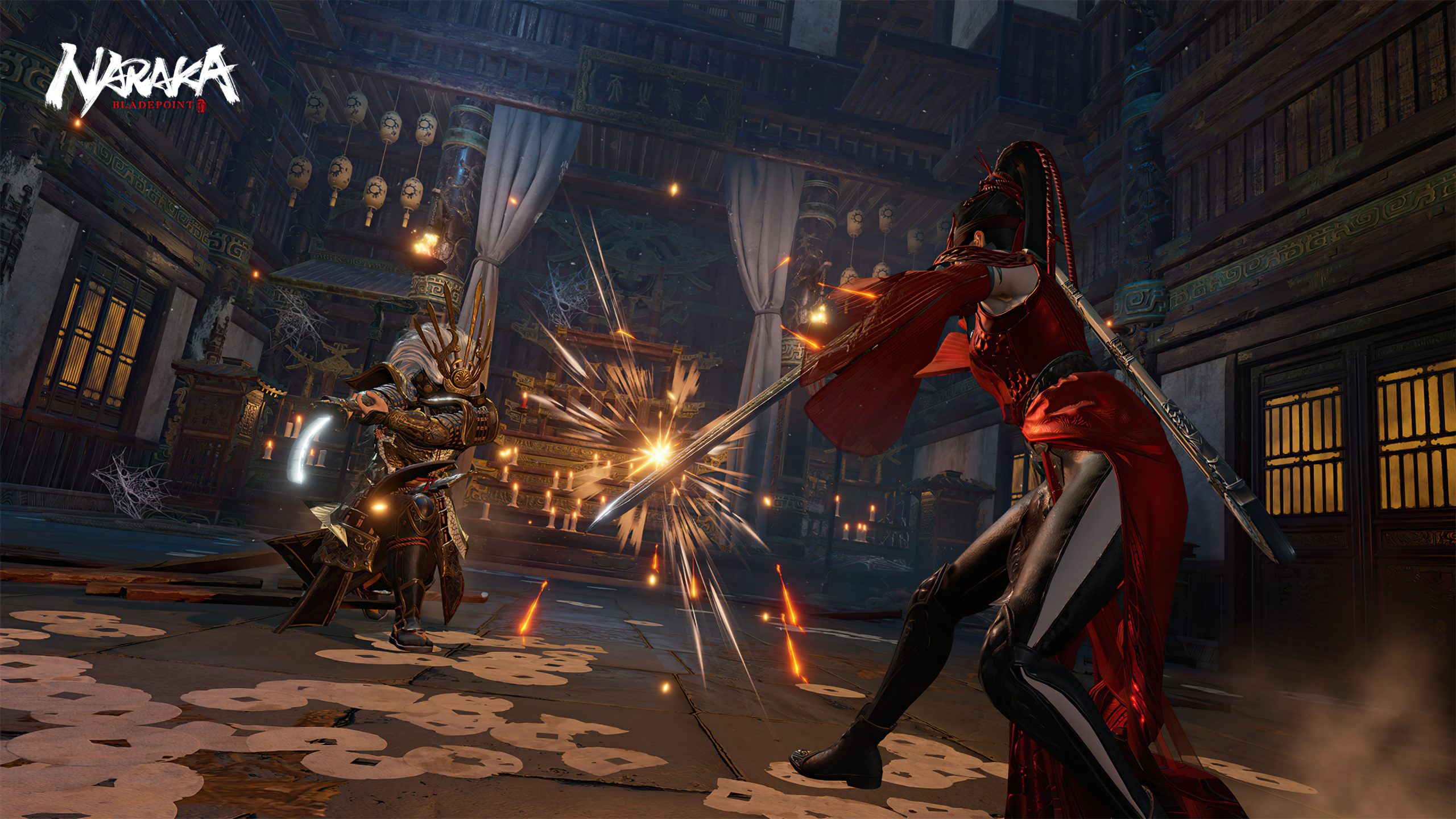
If you both swing your weapons at the same moment when engaged in battle with another player. You will immediately activate a counter between your opponent and will have to restart your attacking animation.

However, there is another technique to counter inside Naraka: Bladepoint. It is to strike Mouse 1 and Mouse 2 at the same moment.

These buttons are used for both horizontal and vertical assaults. Pressing them simultaneously when your opponent is striking will result in a parry.

When you successfully parry one of them, you have a fantastic chance to attack since they will be driven to the ground by the backlash from your counter.

Perfecting the counter technique in Naraka: Bladepoint will take time and patience. However, there is a useful training option in-game where players may practice their parrying against AI opponents.

This is only one of the numerous ways you may get an edge over other players. Therefore master it before entering your next battle.

That’s all there is to know about countering in Naraka: Bladepoint.

Guide News
Share. Facebook Twitter Pinterest LinkedIn Tumblr Email
Aaron
Aaron Kohn
  • Website

Aaron writes guides and news related to the games at TheWestNews.com. Apart from his passion for writing and playing games he's exploring new places around the globe.

Related Posts

Trump Slams Grammys and Threatens Lawsuit Over Trevor Noah Joke

February 4, 2026

GTA 6 Marketing Begins This Summer as Take-Two Reaffirms November Release

February 4, 2026

Fallout Season 2 Finale Review: The House Mostly Wins

February 4, 2026
Advertisement

I Didn’t Change My Spending I Just Started Getting Free Flights and Hotels

December 15, 2025

I Thought My Points Were Worth $600 — Then I Booked a $6,200 Flight

December 15, 2025

The 5-Step Blueprint to Booking Your First $10,000 Flight for $50

December 15, 2025

Current Marriott Bonvoy Card Offers: What You Can Earn Right Now

November 23, 2025

Trump Slams Grammys and Threatens Lawsuit Over Trevor Noah Joke

February 4, 2026

Fallout Season 2 Finale Review: The House Mostly Wins

February 4, 2026

Steal Review: Prime Video’s Twisty Heist Thriller Powered by Sophie Turner

February 4, 2026

Disney Plus Schedule November 24-30, 2025: Chris Hemsworth Documentary and Beatles Anthology Arrive

November 23, 2025
Facebook X (Twitter) Instagram Pinterest
  • About Us
  • Contact
  • Disclaimer
  • Privacy Policy
  • Sitemap
  • Affiliate Disclosure
  • Terms
© 2026 TheWestNews.

Type above and press Enter to search. Press Esc to cancel.