

Close Menu
The West News
  • Home
  • News
  • Entertainment
  • Money
  • Local
    • Los Angeles
  • World News
Facebook X (Twitter) Instagram
The West News
  • Home
  • News
  • Entertainment
  • Money
  • Local
    • Los Angeles
  • World News
Facebook X (Twitter) Instagram
The West News
Home » Far Cry 6: How To Turn Off Health Indicators?
News

Far Cry 6: How To Turn Off Health Indicators?

Aaron KohnBy Aaron KohnFebruary 11, 20222 Mins Read
Facebook Twitter Pinterest LinkedIn Tumblr Email
Far Cry 6: How To Turn Off Health Indicators?
Share
Facebook Twitter LinkedIn Pinterest Email

Welcome to our ‘Far Cry 6: How To Turn Off Health Indicators?’ guide. This part of the Far Cry 6 guide describes the Health Indicators that display over adversaries’ heads. You will also discover whether the Health Indicators may be turned off to enhance the gaming experience.
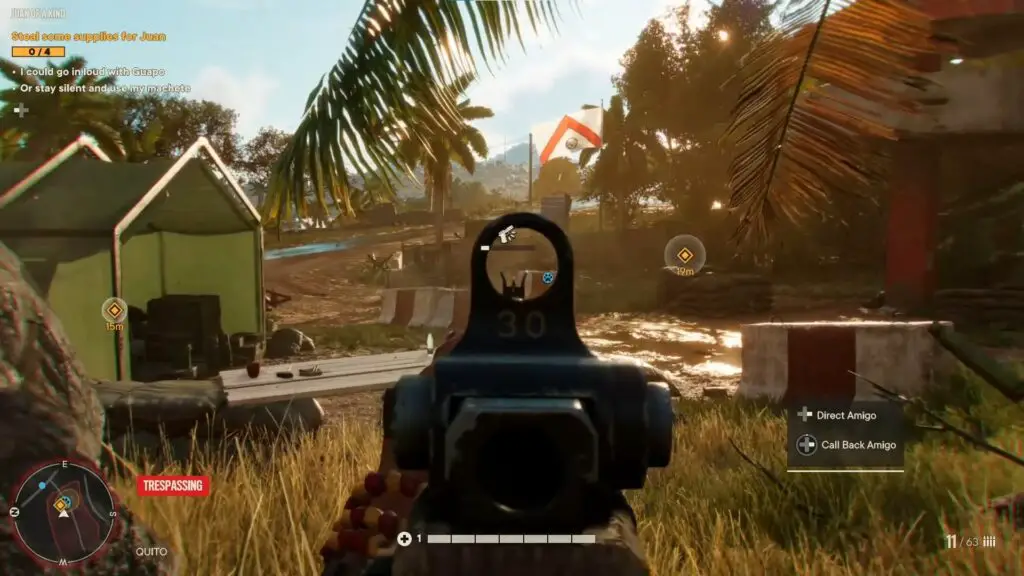
Far Cry 6: How To Turn Off Health Indicators?

Far Cry 6: How to turn off health indicators?

In Far Cry 6, every adversary you hit has a health bar over their head. This indication might be single or double.

Far Cry 6 incorporates RPG-style health bars, originally seen in Far Cry New Dawn. In short, the opponents have become bullet sponges. It’s a mechanic from games like Tom Clancy’s Division and Borderlands. A single bullet or other powerful strike may not be enough to quickly kill an opponent. Player and opponent levels, as well as equipment, are significantly more important in combat.

Here are some short ideas to make the health indicators less burdensome and the battle system less RPG-like:

  • Examine the global map’s current region rankings and suggested mission ranks. Save the ones higher than the character’s current rank for later. Otherwise, your adversaries may become even more bullet sponges.
  • Match your weapon’s ammo to the opponents you’re hitting. For example, while hitting armoured adversaries, utilise shots with higher penetration.
  • Keep looking for better weapons from higher rankings and upgrading your weapons with modifications. Of course, this should improve their fighting ability.

If all else fails, you may use Story Mode to reduce the difficulty, albeit it won’t totally remove the adversaries’ bullet sponge status.

Far Cry 6 hides health indications. To do so, go to the game’s settings and pick HUD and Elements.

Notably, concealing health indicators does not disable them. The sole benefit of this strategy is that the unimmersive HUD element is no longer visible. We don’t encourage this strategy since you won’t be able to assess the effectiveness of your assaults, change your weapon, or flee a hazardous area.

We hope you liked our ‘Far Cry 6: How To Turn Off Health Indicators?’ guide. Please do leave a comment below.

Guide News
Share. Facebook Twitter Pinterest LinkedIn Tumblr Email
Aaron
Aaron Kohn
  • Website

Aaron writes guides and news related to the games at TheWestNews.com. Apart from his passion for writing and playing games he's exploring new places around the globe.

Related Posts

Trump Slams Grammys and Threatens Lawsuit Over Trevor Noah Joke

February 4, 2026

GTA 6 Marketing Begins This Summer as Take-Two Reaffirms November Release

February 4, 2026

Fallout Season 2 Finale Review: The House Mostly Wins

February 4, 2026
Advertisement

I Didn’t Change My Spending I Just Started Getting Free Flights and Hotels

December 15, 2025

I Thought My Points Were Worth $600 — Then I Booked a $6,200 Flight

December 15, 2025

The 5-Step Blueprint to Booking Your First $10,000 Flight for $50

December 15, 2025

Current Marriott Bonvoy Card Offers: What You Can Earn Right Now

November 23, 2025

Trump Slams Grammys and Threatens Lawsuit Over Trevor Noah Joke

February 4, 2026

Fallout Season 2 Finale Review: The House Mostly Wins

February 4, 2026

Steal Review: Prime Video’s Twisty Heist Thriller Powered by Sophie Turner

February 4, 2026

Disney Plus Schedule November 24-30, 2025: Chris Hemsworth Documentary and Beatles Anthology Arrive

November 23, 2025
Facebook X (Twitter) Instagram Pinterest
  • About Us
  • Contact
  • Disclaimer
  • Privacy Policy
  • Sitemap
  • Affiliate Disclosure
  • Terms
© 2026 TheWestNews.

Type above and press Enter to search. Press Esc to cancel.