

Close Menu
The West News
  • Home
  • News
  • Entertainment
  • Gaming
  • Money
  • Local
    • Los Angeles
Facebook X (Twitter) Instagram
The West News
  • Home
  • News
  • Entertainment
  • Gaming
  • Money
  • Local
    • Los Angeles
Facebook X (Twitter) Instagram
The West News
Home » Diablo Immortal: How Do You Fix The Keyboard Not Working Issue?
News

Diablo Immortal: How Do You Fix The Keyboard Not Working Issue?

Aaron KohnBy Aaron KohnJune 4, 20222 Mins Read
Facebook Twitter Pinterest LinkedIn Tumblr Email
Diablo Immortal: How Do You Fix The Keyboard Not Working Issue?
Share
Facebook Twitter LinkedIn Pinterest Email

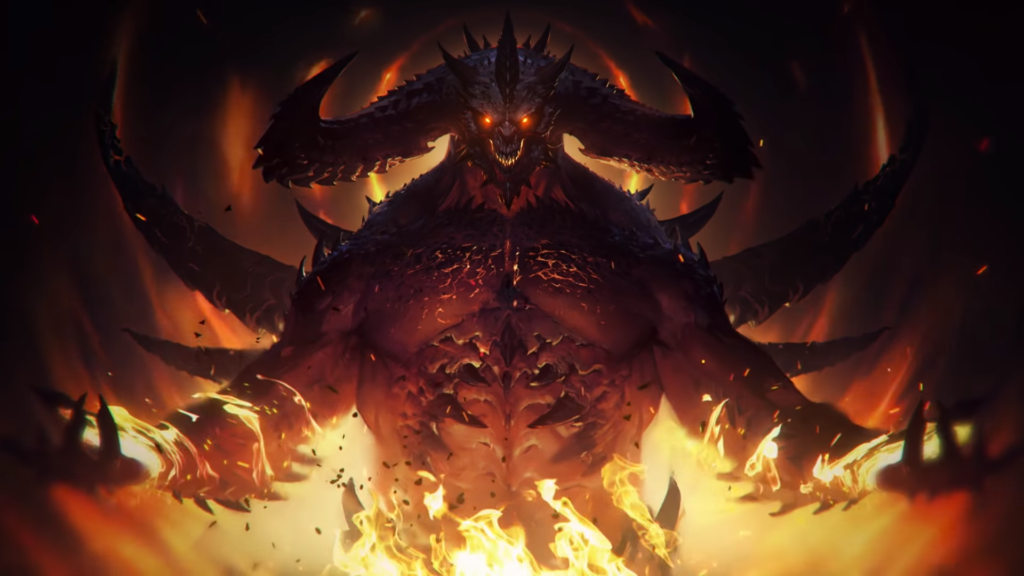
The long-awaited Diablo Immortal was launched this week, however several users claimed that their keyboard was not functioning, therefore we created a tutorial with all of the troubleshooting techniques for how to solve the keyboard not working in Diablo Immortal.
Diablo Immortal: How Do You Fix The Keyboard Not Working Issue?

How to solve the issue of keyboard not working?

There might be various causes for the keyboard not functioning. One simple remedy is to restart the game. First, shut the launcher completely. If the Keyboard is wired, unplug it and replug it. Also, if it is wireless, restart the Keyboard. Play the game while connecting the Keyboard.

The second thing to look for is if the keyboard or controller you’re using is supported by the game. Because the game is still in its early phases, they have authorized a list of keyboard and controller manufacturers that are supported in the game. The following are the items on the list:

  • Logitech Gamepad F710.
  • Nintendo Switch Controllers.
  • Sony Dualshock 4.
  • Xbox Elite Controller 2.

Other keys on the keyboard function normally for some people, but the WASD keys cease functioning. The best option is to increase the resolution of your desktop to 2560 x 1440. This is not to be confused with the game resolution, which is distinct, and altering them will have no effect.

The game may then be switched to Windowed mode. Hopefully, your keyboard is now operational. Because it is a mobile game, port difficulties are typical, but we are hoping that Blizzard will fix them soon.

Guide News
Share. Facebook Twitter Pinterest LinkedIn Tumblr Email
Aaron
Aaron Kohn
  • Website

Aaron writes guides and news related to the games at TheWestNews.com. Apart from his passion for writing and playing games he's exploring new places around the globe.

Related Posts

2-Year-Old Boy Dies in Apparent Accidental Shooting in San Bernardino County

July 17, 2026

Wordle Answer Today July 17, 2026 Puzzle #1852 Hints, Clues and Solution

July 17, 2026

List of All Pals in the Palworld (2026): Every Pal, Element & Skills

July 16, 2026
Advertisement

Top 10 Side Hustles That Actually Make Money in 2026 — Ranked by Real Earnings

July 17, 2026

What Happens to a Deceased Person’s Credit Card Debt? Here’s What Families Should Know

July 16, 2026

Social Security COLA 2027 Forecast Revised Lower After Inflation Cools

July 16, 2026

Social Security Checks Go Out July 15: Who Gets Paid This Week? Full 2026 Payment Schedule

July 14, 2026

Christopher Nolan’s The Odyssey Review: A Visually Stunning Epic That Reimagines Homer’s Classic

July 16, 2026

Supergirl box office continues to struggle as DC film drops out of top five

July 13, 2026

Godzilla Minus Zero Trailer Reveals Release Date, Returning Cast and Bigger Kaiju Threat

July 9, 2026

‘Moana’ Review: Disney’s Live-Action Remake Struggles to Justify Its Return to the Ocean

July 9, 2026
Facebook X (Twitter) Instagram Pinterest
  • About Us
  • Contact
  • Disclaimer
  • Privacy Policy
  • Sitemap
  • Affiliate Disclosure
  • Terms
  • Careers
  • Write for Us
© 2026 TheWestNews.

Type above and press Enter to search. Press Esc to cancel.

Ad Blocker Enabled!
Ad Blocker Enabled!
Our website is made possible by displaying online advertisements to our visitors. Please support us by disabling your Ad Blocker.
✕