


Disclosure: Prices may change at any time. Please check the latest price on Amazon before purchasing. As an Amazon Associate, TheWestNews.com may earn from qualifying purchases at no extra cost to you.
In 2026, the top laptops under $500 are definitely a thing to behold. You don’t need to compromise on performance, screen size, or battery life again. The price of a laptop that you can afford has risen significantly, and there is a lesser difference between a $500 laptop and a $1000 laptop than ever before.
However, not all of the low-cost laptop computers are worth purchasing. There are many machines that have decent specs but are not all that they claim to be in practice, such as slow processors, poor displays, and fast-fill storage that overloads in just a few months. This guide is here to cut through the noise.
What to Look for in a Laptop Under $500
Here are the specs that are most important in 2026 and those you should be willing to trade to get the pick you need:
RAM: 8GB is the minimum in 2026. If it’s a 4GB laptop, it will feel slow having over five browser tabs open. The 8 gigs are always the best option, preferably 16 gigs when budget permits.
Storage: SSD only. The entire laptop will feel faster because of an SSD (Solid State Drive). Don’t get a laptop with an HDD (hard disk drive) in 2026 — they are old and slow. Seek out for as a minimum 256 GB internal storage, preferably 512 GB.
Processor: If you are using Windows Laptops, consider the minimum of Intel Core i5 or AMD Ryzen 5 processors. Intel Core i3 and Celeron chips are good for Internet browsing but will lag when multitasking.
Battery: Minimum 8 hours of battery life. In general, real-world battery life is 20-30% less than the manufacturer’s spec. With normal use, a 10-hour rated laptop will run for about 7-8 hours.
Display: minimum 1080p Full HD. The 1920×1080 resolution provides a clear, sharp picture. As the size increases, above 13″, it is noticeable that the resolutions appear fuzzy.
Operating system: Windows vs ChromeOS. Works with all software and apps. The Chromebooks are based on Google’s ChromeOS, a lightweight, fast, and virus-proof operating system that will only run web-based and Android apps. Select Windows if you must have Microsoft Office, Photoshop, or specific Windows applications.
The Best Laptops Under $500 in 2026
Best Overall: Acer Aspire Go 15
Price: ~$269–$349 on Amazon Specs: Intel Core i3-N305 | 8GB RAM | 128GB SSD | 15.6-inch Full HD | Windows 11
- RAM: 8GB is the minimum in 2026. If it’s a 4GB laptop, it will feel slow having over five browser tabs open. The 8 gigs are always the best option, preferably 16 gigs when budget permits.
- Storage: SSD only. The entire laptop will feel faster because of an SSD (Solid State Drive). Don’t get a laptop with an HDD (hard disk drive) in 2026 — they are old and slow. Seek out for as a minimum 256 GB internal storage, preferably 512 GB.
- Processor: If you are using Windows Laptops, consider the minimum of Intel Core i5 or AMD Ryzen 5 processors. Intel Core i3 and Celeron chips are good for Internet browsing, but will lag when multitasking.
- Battery: Minimum 8 hours of battery life. In general, real world battery life is 20-30% less than manufacturer’s spec. With normal use, a 10-hour rated laptop will run for about 7-8 hours.
- Display: minimum 1080p Full HD. The 1920×1080 resolution provides a clear, sharp picture. As the size increases, above 13″, it is noticeable that the resolutions appear fuzzy.
Operating system: Windows vs ChromeOS. Works with all software and apps. The Chromebooks are based on Google’s ChromeOS, a lightweight, fast, and virus-proof operating system that will only run web-based and Android apps. Select Windows if you must have Microsoft Office, Photoshop, or specific Windows applications.
Best Laptops Under $500 2026
Best Overall: Acer Aspire Go 15
Price: ~$269–$349 on Amazon Specs: Intel Core i3-N305 | 8GB RAM | 128GB SSD | 15.6-inch Full HD | Windows 11
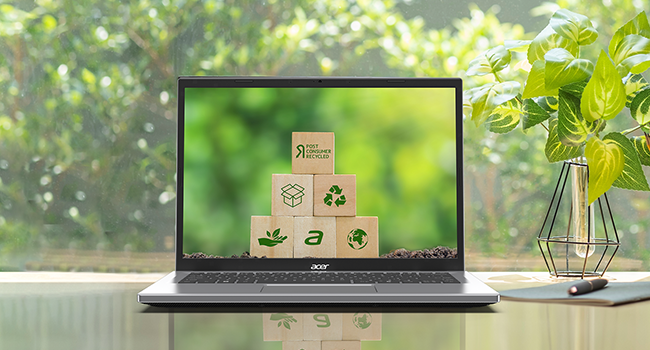
Acer Aspire Go 15 tops the list of the best laptops under $500 for most people for 2026. Tom’s Guide recognized it as the best in the budget laptop category, and it has been the No.1 bestseller in Amazon’s under-$500 laptop category for a long time. It’s the most cost-effective laptop on the list, in dollar terms, at $269 to $349 based on configuration.
The 15.6″ Full HD screen features a bright and clear display, which makes it easy and comfortable to use for everyday tasks, and the Intel Core i3-N305 is sufficient for basic work tasks, web browsing, streaming, Microsoft 365, and more. A full battery life of 10 hours of real-world usage is one of the best at its price point, and there’s 8GB of RAM available as well, which keeps things running smoothly when multitasking.
Why it stands out: It hits every important spec checkbox — 1080p display, 8GB RAM, SSD storage, all-day battery — at a price that leaves money in your pocket. For students, remote workers, and everyday users, this is the clear first choice.
The honest catch: 128GB of storage is tight if you plan to store large files locally. Consider using cloud storage (Google Drive or OneDrive) alongside this laptop, or look for the 256GB version, which is worth the small price premium.
Best for: Students, everyday use, Microsoft 365, web browsing, streaming
Best Chromebook: ASUS Chromebook Plus CX34
Price: ~$325–$400 on Amazon Specs: Intel Core i3-1215U | 8GB RAM | 128GB SSD | 14-inch Full HD | ChromeOS
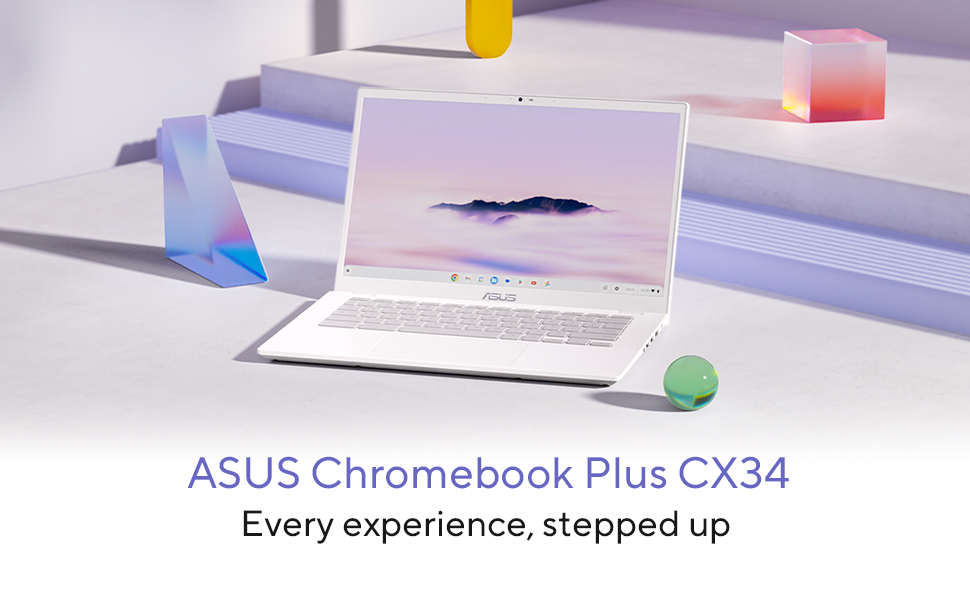
In 2026, the ASUS Chromebook Plus CX34 is hands down the best Chromebook under $500. Its high-quality construction, top-of-the-range 1080p display, powerful 6-core Intel processor, and impressive battery life were all praised by multiple reviewers, including PCWorld’s test lab. So much has happened in 2026 that ChromeOS is a much more mature product.
All of Google’s apps, including Google Docs, Google Sheets, Google Gmail, Google YouTube, Google Zoom, and thousands of Android apps, work perfectly. If you use a browser to work, as most people do, then a Chromebook can do everything a Windows laptop can, and it’s cheaper, less prone to virus infections, and boots up in mere seconds.
This Chromebook has the “Plus” designation, which means it has greater performance capabilities than other Chromebooks higher speed processor, a larger screen, and more RAM. It really does not feel like a budget device.
The honest catch: You can’t run traditional apps such as Adobe Photoshop, most PC games, or legacy business apps on ChromeOS. In case those are necessary, select a Windows laptop from this list instead.
Best for: Students, Google Workspace users, anyone who lives in a browser, people who want a fast, virus-free laptop
Best Windows Reliability: Dell Inspiron 15 3520
Price: ~$449–$499 on Amazon Specs: Intel Core i5-1235U | 8GB RAM | 256GB SSD | 15.6-inch Full HD | Windows 11
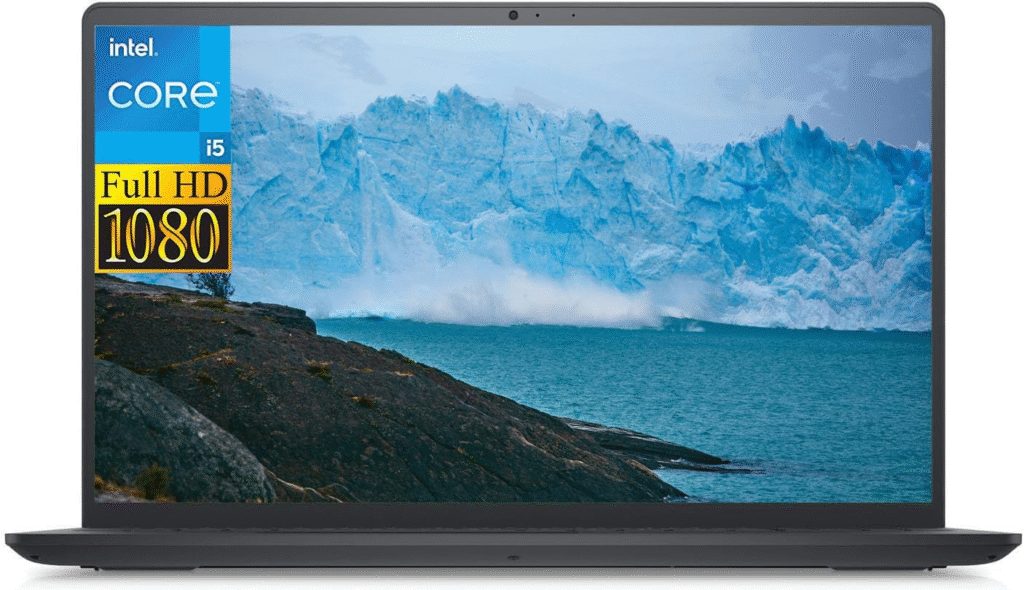
The best Windows laptop for under $500 in 2026 is Dell’s Inspiron 15 3520, which has consistently received favorable reviews. It’s simple, practical, and reliable, as Dell puts it, but it doesn’t look like some of the better-known and more flashy options. This is the option for customers who value reliability over top-tier design.
The Intel Core i5 processor is a significant jump up from the i3 chips found on other budget laptops in terms of being faster in multitasking, video calls, and running multiple applications at once. Most of the competitors also offer 256GB of SSD storage, but the 256GB SSD offered twice that amount of storage, while Dell’s exceptional build quality has earned thousands of five-star ratings in the thousands of Amazon reviews.
The i5 processor and 256GB SSD combination for under $500 is outstanding. This laptop will easily run Microsoft Office, zoom, Chrome with 20 tabs, and some of the business software.
The honest catch: It looks like a stock design and the 720p webcam isn’t that great for video calls. The two aren’t a deal-breaker to most buyers but good to know.
Best for: Work from home, business users, students needing reliable performance, anyone wanting a dependable Windows laptop that lasts
Best 2-in-1: Lenovo IdeaPad Flex 5i Chromebook Plus
Price: ~$349–$450 on Amazon Specs: Intel Core i3 | 8GB RAM | 256GB SSD | 14-inch Full HD touchscreen | ChromeOS
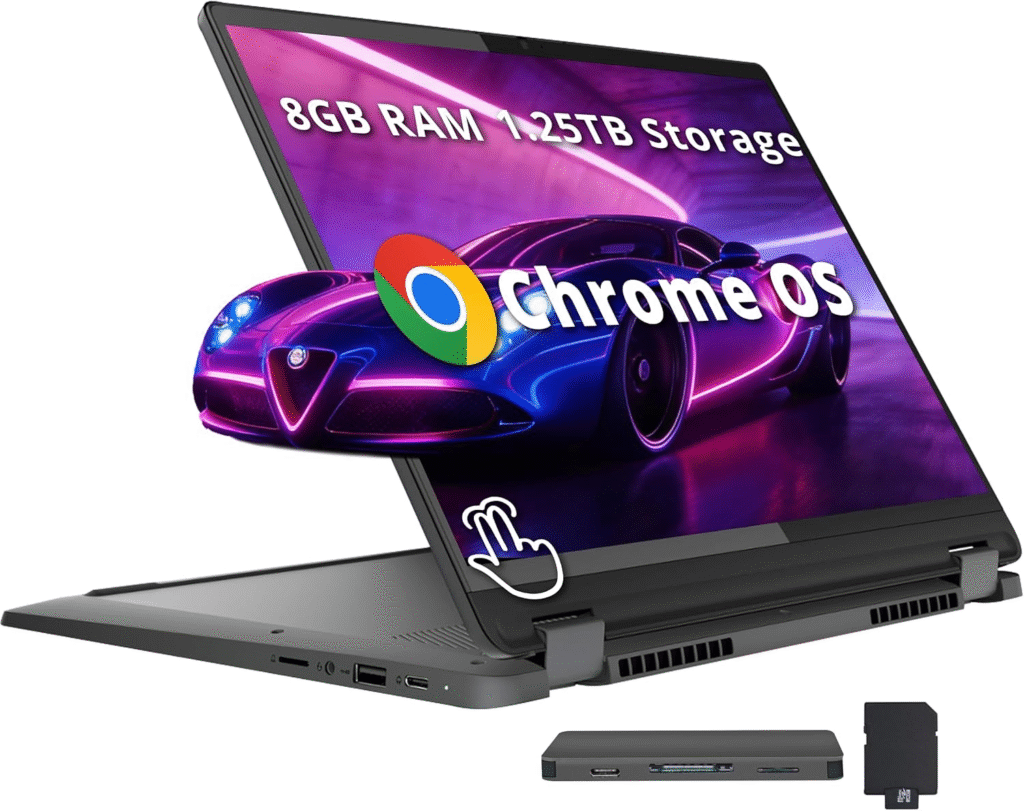
A 2-in-1 laptop folds up flat to be used as a tablet, stands upright at any angle or opens up like a normal laptop. In 2026, the Lenovo IdeaPad Flex 5i Chromebook Plus is the perfect 2-in-1 under $500, thanks to its touchscreen, robust design and its versatility.
The 360-degree hinge works smoothly and firmly, and isn’t flimsy or wobbly like some budget 2-in-1 models. The touchscreen is responsive and the 14″ display is large enough to use comfortably in tablet mode. Reviewer testing shows the battery life is above average for a touchscreen laptop and can last up to 12 hours.
The all day battery life, 256GB storage, and Full HD touchscreen are uncommon at this price. The 2-in-1 is really practical for students who wish to handwrite notes in class and type essays at a desk.
The honest catch: This is true of ChromeOS also: Windows software does NOT work. For more information on who ChromeOS would be right for, check out the ASUS Chromebook Plus review above.
Best for: Students, artists, note-takers, people who want tablet and laptop in one device
Best for Students: HP Stream 14
Price: ~$269–$299 on Amazon Specs: Intel Celeron N4120 | 4GB RAM | 64GB eMMC | 14-inch HD | Windows 11 S
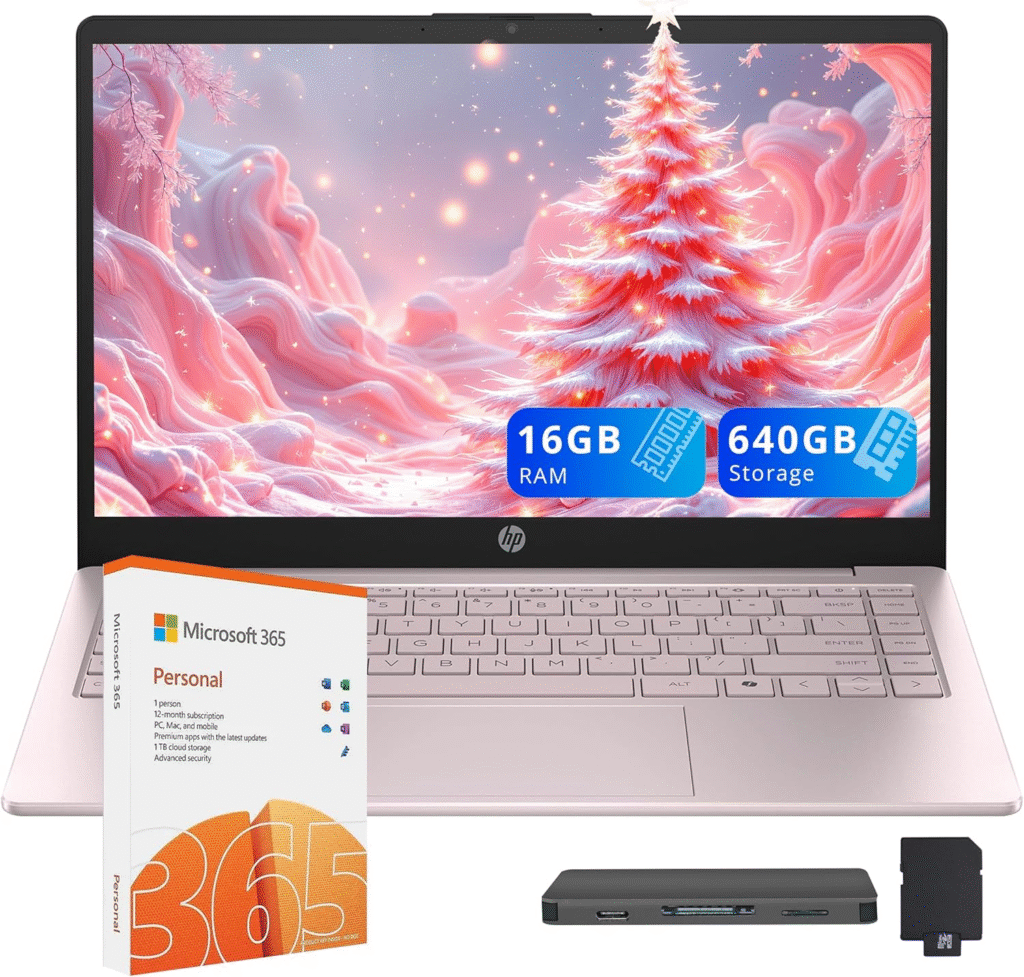
The HP Stream 14 is the least expensive full-fledged laptop of a major brand available from Amazon in 2026. It’s priced at $269, so it’s intended for light use such as taking notes, writing essays, navigating the Web, and watching videos and it handles those chores well.
It’s not a strong contender. With the Intel Celeron processor and 4GB of RAM, you’ll feel the slowdown in the event you open too many tabs or run heavy applications. If you are a student that requires a lightweight, affordable, and simple Windows laptop for school, the HP Stream is a good and reliable option.
It’s a mainstream brand trusted by HP and costs less than $300 — the safe choice for a budget printer. HP’s build quality and after-sales support is dependable at all price levels.
The honest catch: 64 GB for storage in 2026 is quite limited. It won’t be possible to skip using a microSD card or cloud storage from the start. It is not capable of multitasking because of 4GB of RAM. This is a simple laptop; use it as such.
Best for: Budget-conscious students, light users, secondary laptop, kids’ homework laptop
Best Refurbished Value: Lenovo ThinkPad E14 (Refurbished
Price: ~$400–$500 refurbished on Amazon Specs: Intel Core i5 (8th–10th gen) | 8–16GB RAM | 256–512GB SSD | 14-inch Full HD | Windows 10/11
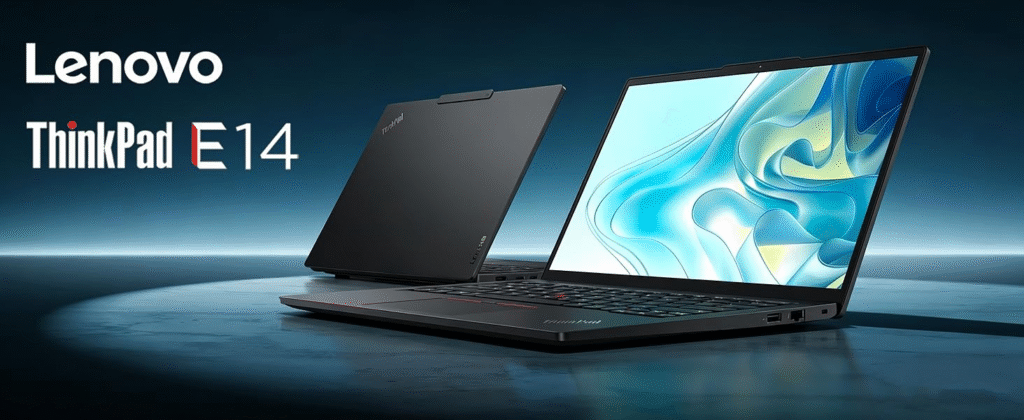
Lenovo ThinkPad E14 that has been refurbished from a used state comes in at $400 to $500, which is just as good as most new budget laptops on this list. The ThinkPad’s design is a high-end professional quality that budget new laptops can’t compete with.
The keyboard is considered to be the best in the laptop industry, the build quality is strong enough to last for years of use and the specifications are generally higher for a refurbished laptop than for one of a similar price.
This laptop has a professional build quality, legendary ThinkPad keyboard, and better specs than any new laptop at the same price. So if you’re willing to purchase a used computer, then this is the best computer you can get for less than $500.
The honest catch: Refurbished units can be used for cosmetic wear. Battery life is not uniform, look carefully for the Battery specification. Generally, refurbished units are only warranted for a shorter duration than new units.
Best for: Professionals, business users, keyboard enthusiasts, anyone wanting the best performance per dollar
Quick Comparison Table
| Laptop | Price | OS | RAM | Storage | Best For |
|---|---|---|---|---|---|
| Acer Aspire Go 15 | ~$299 | Windows 11 | 8GB | 128GB SSD | Best overall value |
| ASUS Chromebook Plus CX34 | ~$370 | ChromeOS | 8GB | 128GB SSD | Best Chromebook |
| Dell Inspiron 15 3520 | ~$469 | Windows 11 | 8GB | 256GB SSD | Most reliable Windows |
| Lenovo Flex 5i Chromebook | ~$400 | ChromeOS | 8GB | 256GB SSD | Best 2-in-1 |
| Acer Aspire 3 Ryzen 5 | ~$419 | Windows 11 | 8GB | 512GB SSD | Best performance |
| HP Stream 14 | ~$279 | Windows 11 S | 4GB | 64GB | Tightest budget |
| ThinkPad E14 (refurb) | ~$450 | Windows 11 | 8–16GB | 256–512GB | Best refurbished |
| MacBook Neo 2026 | ~$599 | macOS | 8GB | 256GB | Best overall (over $500) |
Frequently Asked Questions
What is the best laptop under $500 in 2026?
Overall, Acer Aspire Go 15 Laptop is the best laptop under $500 in 2026 on the market, featuring an 8GB RAM, Full HD display, a battery life that lasts all day, and a trusted brand name at the unbeatable price.
Is 8GB RAM enough in a laptop in 2026?
8GB RAM is enough for basic usage, like browsing the web, streaming, Microsoft 365, video calls, and daily activities. If you are using video editing, programming or running heavy applications at the same time, it is better to use 16GB.
Is a Chromebook or Windows laptop better under $500?
This is based on your requirements. At the same price, Chromebooks are faster, lighter, more secure, and more affordable. All software, Microsoft Office desktop applications, PC games, specialist software etc., are all available for Windows laptops. Need your work access through a browser, get a Chromebook. If you require particular Windows software, select Windows.
Should I buy a refurbished laptop to get better specs under $500?
As long as you can afford to do so, it may be worth your while to purchase a refurbished laptop with better specifications than you would expect to find for under $500. The Amazon refurbished ThinkPad is a much higher quality machine than a new budget laptop in terms of build quality and specifications. If you’re not afraid of purchasing refurbished then it is a good choice.
How long will a $500 laptop last?
A good laptop for less than $500 from Dell, Lenovo, ASUS, Acer or any other brand should last 4-6 years if it is used properly. Avoid the low end of the price spectrum (less than $250) from unfamiliar brands that have a short lifespan and begin to wear out after 1-2 years.
Which laptop under $500 is best for college students?
Windows-Acer Aspire Go 15 or Google-ecosystem (ASUS Chromebook Plus CX34). The two boast 8GB of RAM, Full HD displays and all-day battery life, the three most critical specs for a student’s use.
For most users, the best laptop under $500 in 2026 is the Acer Aspire Go 15, which provides reliable performance and speeds up to 10.5FPS, making it suitable for daily use, without costing too much.
If you’re a power user who wants more performance, you should check out the Acer Aspire 3 Ryzen 5, and if you can purchase a refurbished unit then you should definitely consider a ThinkPad E14 for the best quality overall at this price.
The $500 price tag in 2026 is for a pretty legit machine. Everyone wants to get the better of the days when budget laptops didn’t work up to scratch — you just need to understand which ones to purchase.
Affiliate Disclosure: Product prices and availability are accurate at the time of publication but may change without notice. We recommend checking the current price and product details on Amazon before making a purchase. TheWestNews.com participates in the Amazon Services LLC Associates Program and may earn a commission from qualifying purchases made through affiliate links, at no additional cost to you. Our recommendations are based on independent research, testing, and verified customer reviews.
